
Halloween Effects for Joomla and WordPress Websites
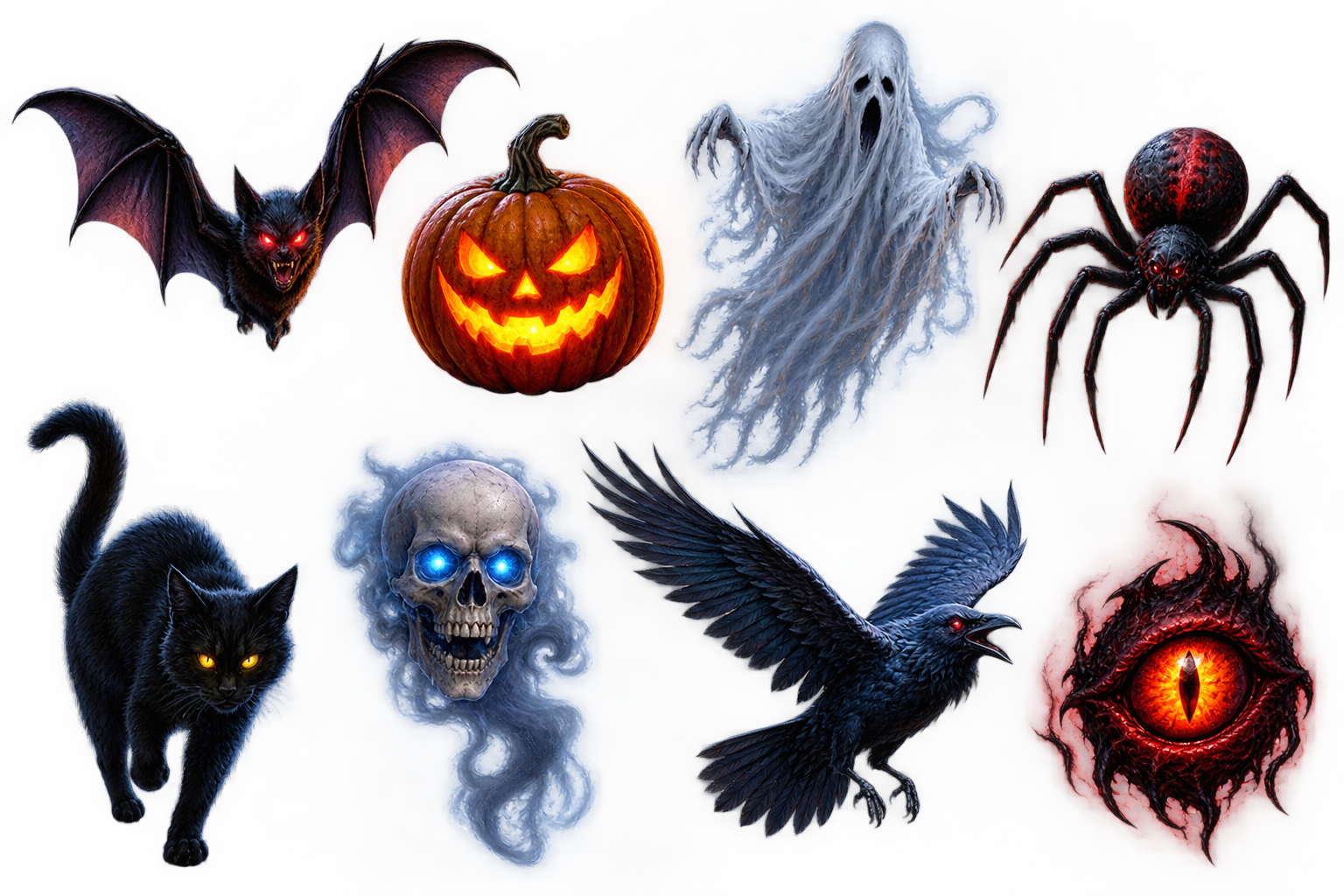
Spectacular AnimationsEight Halloween-themed creatures. |
Customizable functionalityMotions, Appearances, and Visitor Settings. |
Per-page ControlIn the WordPress version, you can choose where the effects run. |
Flexible AppearanceThe visitor panel theme can be adapted to your website. |
Bring the spooky atmosphere of Halloween to your website!
🎃 A pinch of magic, a few spooky moments – and your website comes to life!
Do you want your website to not only convey information, but also provide an experience? With BrutalExpert Halloween Effects, the special atmosphere of Halloween moves right to your website! Visitors can encounter bats, ghostly ghosts, black cats, flying ravens and other creepy creatures that appear unexpectedly while browsing.
This is not a simple decorative image or a boring animation: Halloween creatures that come to life on the screen will make the visit memorable with their movement and unexpected appearance.
👻 Turn your ordinary website into a spooky experience
Imagine a bat flying across the screen, a ghost hovering in front of the page, a spider descending from the top of the screen, or a raven flying from one corner to the other!
Halloween effects bring various creatures to life with spectacular, animated WebM videos. The movements are varied, so the page doesn't become a static, repetitive decoration. Some creatures float or swim across the screen, others follow a specific path, then disappear, only to reappear later.
The end result is a playful, surprise-filled atmosphere that is perfect for Halloween, themed websites, online stores, blogs, and creative projects.
🦇 Meet the Halloween creatures!
The program enchants visitors with several animated characters:
• Bat: flies across the screen, as if we had fallen into the middle of a dark night adventure.
• Pumpkin or jack-o-lantern: one of the most well-known symbols of Halloween, which fits perfectly with the autumn mood.
• Ghost: hovers eerily across the website.
• Spider: descends from the top of the screen, bringing a real chill to your browsing experience.
• Black cat: enhances the mystical atmosphere with its mysterious appearance.
• Floating skull: completes the experience with a darker, more eerie visual element.
• Raven: crosses the screen diagonally, like the messenger of a classic horror story.
• Demonic eye: a special, unsettling visual element for those who like creepy details.
The varied movement and appearance of the figures helps to make Halloween not just a background image, but a real, interactive element of the website's atmosphere.
⚙️ You decide how to haunt it!
Not every website needs the same strong Halloween atmosphere. That's why you can customize the operation of the effects in the program's administration interface.
You determine the experience that your visitors will have:
• Simultaneous or sequential appearance: the selected creatures can appear at the same time, or one after the other.
• Varied movement: the figures can move along different paths and speeds.
• Visitor settings panel: a collapsible settings panel can be displayed to visitors, where they can control the available effect settings themselves.
• Custom appearance: the visitor panel can match the light or dark theme of the website template, or it can have its own, contrasting appearance.
• Per-page control: In the WordPress version, you can set the effects to run on all pages, only on selected pages, or not at all.
This way, Halloween effects don’t force themselves on every visitor and every subpage. You decide where and in what form they appear.
🕸️ Spectacular, yet not intrusive
A good visual element should not take over the content of the website. The goal of Halloween effects is to surprise and entertain the visitor, while the website remains usable.
The animations of the characters appear on the screen and are not intended to cover the content or prevent normal browsing. The settings options allow you to adjust the visuals to the nature of the website.
Whether it’s a fun, family-friendly Halloween event or a darker, mystical-themed page, you can create the desired atmosphere with the various creatures.
🧩 Joomla and WordPress – tailored to your system
Halloween effects are available for two popular content management systems.
Joomla version: can be integrated into a Joomla-based website as a module, and the settings are accessible in the Joomla administration interface.
WordPress version: can be installed as a standalone plugin and configured via the WordPress administration interface. By controlling the operation on a per-page basis, you can determine exactly where the Halloween effects should appear.
Both versions have the same goal: to provide an easy-to-use, spectacular and customizable Halloween atmosphere without having to integrate each animation separately into the website code.
🎃 Make the autumn season memorable!
Visitors expect special experiences during Halloween. A well-timed animation can put a smile on their face, cause surprise and make your website unique.
BrutalExpert Halloween Effects will help
Let's see the demo!
Technical reqierements:
WordPress 7 (It may work with WordPress 6, but there is no guarantee.)
Joomla 6 (It may work with Joomla 5, but there is no guarantee.)
PHP environment: 8.1+