
Animated witch flying on a broomstick for Joomla and WordPress websites.
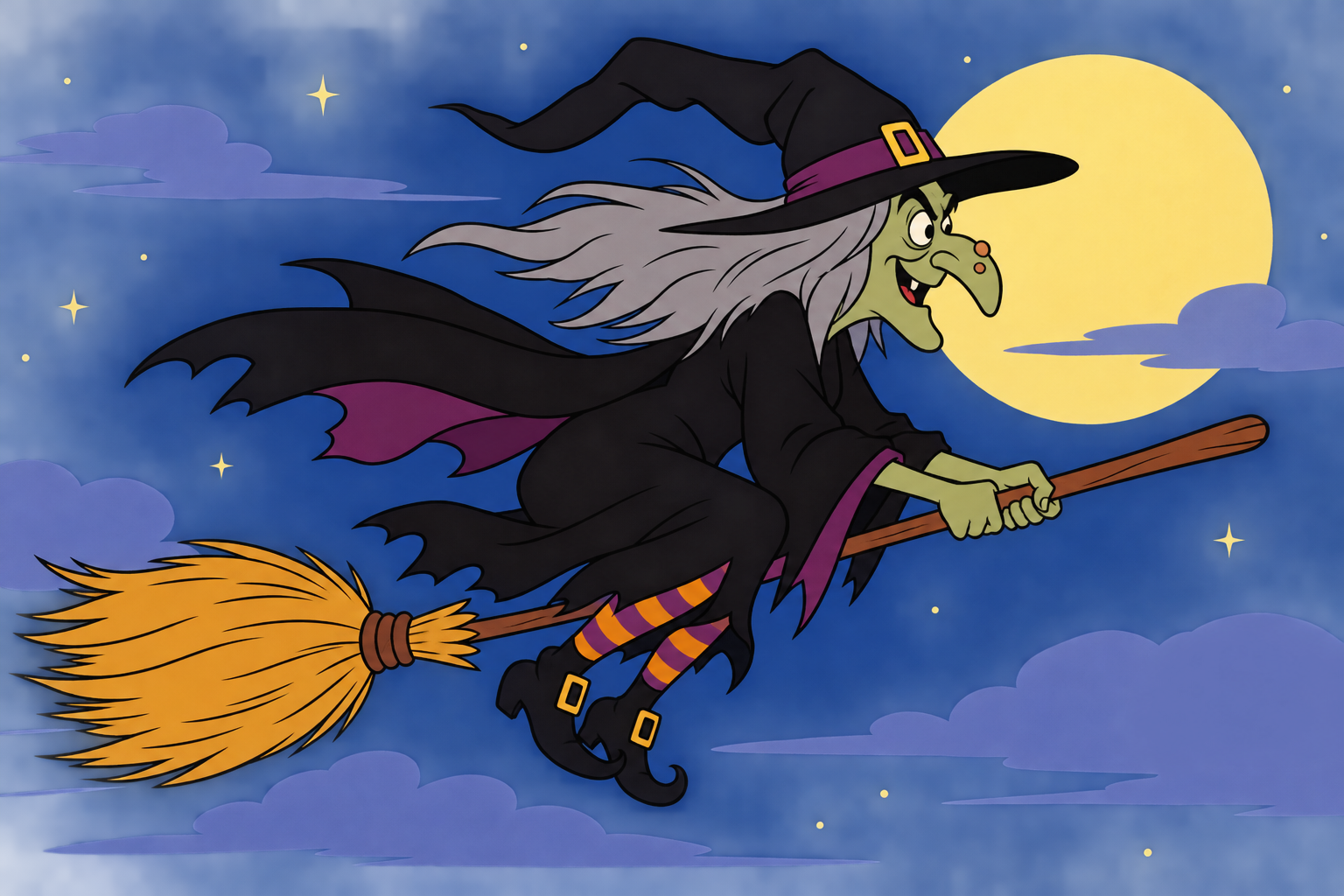
Customizable flightDirection, speed, size, height and transparency. |
Witch laughterSound effect for an even more atmospheric look. |
Visitor controlCollapsible panel with available settings. |
Per-page controlIn the WordPress version, you can choose where the animation should run. |
A witch flying straight to your website!
🧙♀️ Watch out! A witch has landed on your website!
What happens when a traditional website is unexpectedly visited by a witch flying on a broomstick? Your visitors will be surprised, smile and will definitely remember this special experience!
Flying Witch conjures up a spectacular, animated witch on your website. The figure flies across the screen, while its movement, size, speed and transparency can be adjusted according to your own ideas. And if the witch's characteristic laugh sounds at the right moment, the effect becomes even more memorable!
Whether you are preparing for Halloween or want to spice up your website with a playful surprise, this little application is guaranteed to create a special atmosphere.
🧹 A flying witch, lots of possibilities
Forget about static decorations! The witch doesn't just sit there on your website like an image: she brings your screen to life with her animated movements.
While browsing, visitors can encounter a witch on her broomstick, who can fly across your screen. The direction, speed, and appearance of the movement can be changed depending on your settings.
The size and transparency of the witch can also be adjusted, so you can create a variety of styles, from a discreet, barely noticeable appearance to a striking, spectacular animation.
And what's even better: you don't need to be a programmer to adapt the witch to your own website!
🧙♀️ You control the magic!
The program's administration interface offers a number of settings that allow you to determine how the witch appears and moves.
Customize it to your own liking!
Flight direction: choose the direction in which the witch will travel across the screen.
Speed: decide whether to fly quickly or fly slowly and leisurely.
Size: adjust the size of the witch to match your website.
Transparency: control how noticeable the animation is.
Start delay: determine how long it takes before the witch appears.
Variable height: the height of the flight path can be changed, so the witch does not always appear in the same place.
Safety margin: set how far the figure should stay from the edges of the screen.
Mobile display: you can separately control whether the witch appears on mobile devices.
With the help of various settings, you can give your website a unique character. The witch can be fast and noticeable, or a slow, mysterious visitor who glides through.
🔊 Listen to the witch's laughter!
A real witch cannot arrive without sound effects!
The program also includes a witch's laugh, which further enhances the magical, playful or even creepy atmosphere. The sound effect settings allow the website operator to control the use of sound, and the available sound settings can also be managed in the visitor control panel.
Sound and animation together can make the appearance much more memorable than a traditional, motionless decoration.
⚙️ Settings for visitors too
Why should only the website operator decide how the witch should appear?
The program also offers an optional, collapsible visitor settings panel. With this, website visitors can control the available effect settings themselves.
The aim of the panel is not to force the witch on everyone: those who like the sight can enjoy the flying figure, while those who want a more restrained browsing experience can modify the settings available to them.
In addition to the controls available on the panel, there may also be an option to reset the settings. In supported versions, it is also possible to preserve visitor choices, so you don't necessarily have to set everything up again every time you visit.
🕸️ Not every page has to be witchy
Different subpages of a website can serve different purposes. A flying witch may look perfect on a playful blog or Halloween promotion page, while on a more serious information or business site you may only want to display it in certain places.
In the WordPress version, the appearance rules of the pages can also be customized.
You can set the witch to:
appear on all pages;
run only on pages, posts or other supported content targets you select;
or not run at all.
This way, the witch can appear exactly where it really adds something to the visitor experience.
🧩 Joomla and WordPress – two versions, one witchy idea
Flying Witch is available for both popular content management systems.
Joomla Module
The Joomla version can be installed as a module and its settings can be managed in the Joomla admin panel. With various animation and sound settings, the appearance of the witch can be adapted to the specific website.
WordPress Plugin
The WordPress version is a standalone plugin, not a traditional widget. You can access the settings in the WordPress administration interface, and from version 2.0.2 you can also control which pages the animation runs on with native appearance rules.
Both versions aim to make inserting the witch easy and avoid having to manually program the animation into the page template.
🎃 For Halloween, themed pages or just for fun
The flying witch can be an excellent choice:
To complement Halloween promotions and seasonal campaigns;
To spice up themed websites and blogs;
For festive decoration of online stores;
For playful, humorous websites;
Or simply when you want to surprise your visitors with something unusual.
You don't have to wait until the end of October: a little witchcraft can spice up your online adventure at any time of the year!
🧙♀️ Let your imagination run wild!
With Flying Witch, your website will not only be a source of information, but also a place for a little fun.
Adjust the witch's flight, choose the right size and speed, control the sound effects, and decide where visitors will meet her.
A little animation, a characteristic laugh, and a different atmosphere will welcome visitors to your website.
Flying Witch – a pinch of magic, a broomstick of adventure, and a witch who doesn't ask permission to take off!
Let's see the demo!
Technical reqierements:
WordPress 7 (It may work with WordPress 6, but there is no guarantee.)
Joomla 6 (It may work with Joomla 5, but there is no guarantee.)
PHP environment: 8.1+